Best overall in 2026 is ABCDancer for detecting and replacing music in social dance videos; CapCut is best for full video editing; Instagram Reel Editor is best for posting inside Instagram. This guide compares each app by song identification, synchronization, editing depth, and posting workflow.
- ABCDancer is the best app to add music to video for dancers because it detects and syncs the song.
- CapCut wins when your video needs cuts, captions, transitions, and broader visual editing.
- Instagram Reel Editor is the direct option for adding music while preparing an Instagram post.
- Choose by task in 2026: audio replacement, full editing, or fast in-platform posting.
Why this matters
Adding music to an empty video is simple. Replacing poor audio in a dance video is harder because the new track has to match movement that was recorded to a specific song, tempo, and beat position.
A salsa turn, bachata body roll, kizomba step, or zouk movement looks wrong when the replacement track starts slightly early or late. Moving the audio track manually can fix the opening beat, but timing mistakes remain obvious whenever the movement hits a musical accent.
The right app therefore depends on the problem you need to solve in 2026:
- Poor recording: You want to replace room noise or weak phone audio with a higher-quality version of the same song.
- Missing soundtrack: You need to choose music and add it to footage that has no useful original audio.
- Full production: You need to combine clips, add captions, build transitions, and control both sound and visuals.
- Fast social post: You want to select music and publish without moving the file between different apps.
These are separate jobs. A general video editor gives you more creative controls, while a dedicated dance-audio app removes the manual work involved in identifying and synchronizing the original song.
What makes the best app to add music to a video
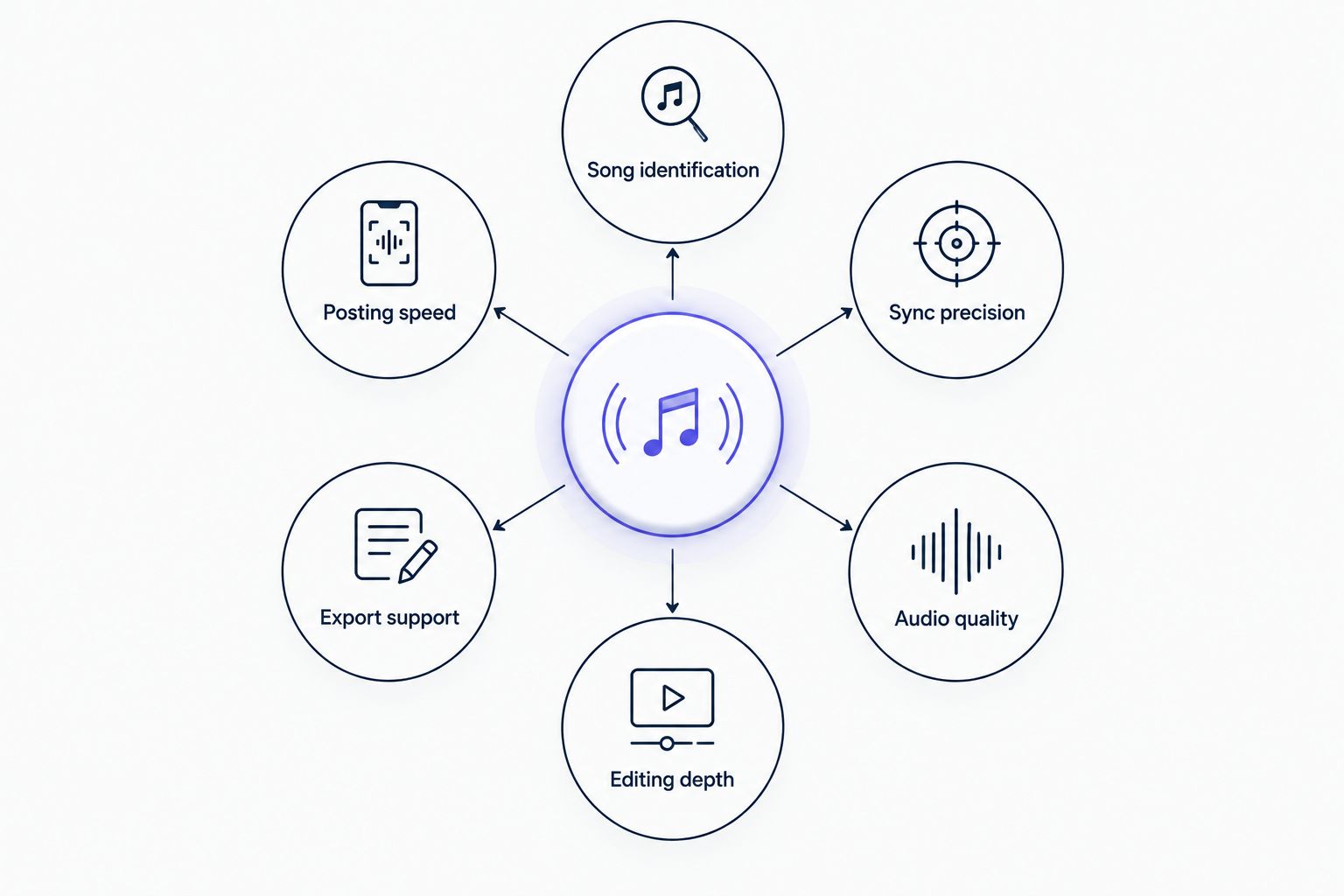
Use these six criteria before choosing an app in 2026:
- Song identification: The app should identify an existing track when you do not know its title. This matters when a DJ mix, crowd noise, or phone recording makes manual searching difficult.
- Sync precision: Replacement music must align with the movement already in the video. Starting the correct song at the wrong beat does not solve the problem.
- Audio quality: Replacing the original recording should produce a cleaner soundtrack rather than amplify noise already captured by the phone.
- Editing depth: General editors should offer tools for trimming clips, arranging a timeline, adding text, and controlling visual changes.
- Export support: The finished file should match the platform and orientation where you plan to publish it.
- Posting speed: Every extra search, import, timeline adjustment, and export adds work. A focused workflow is faster when you only need to fix the soundtrack.
Best apps to add music to a video at a glance
| App | Best for | Standout feature | Key limitation |
|---|---|---|---|
| ABCDancer | Social dancers replacing poor recorded audio | Automatic song detection and synchronized replacement | Specialized around dance-video audio rather than every editing task |
| CapCut | Multi-clip projects requiring visual editing | Timeline tools for video, text, effects, and audio | Replacing the exact song from existing footage requires more manual work |
| Instagram Reel Editor | Adding music while preparing an Instagram Reel | Music selection inside the publishing workflow | Editing and soundtrack choices remain tied to Instagram's tools and library |
The table is a decision guide, not a claim that one app wins every category. The first option handles a narrow dance-audio problem automatically. The other two are broader tools with different strengths.
1. ABCDancer: best app to add music to a video for social dancers
ABCDancer is a mobile app designed for salsa, bachata, kizomba, zouk, and other social dance video creators. It automatically detects the song in a dance video, replaces the recorded audio with a high-quality track, and synchronizes that track to the footage.
That sequence matters. You do not have to identify the music separately, search for the right recording, import it into a timeline, or guess where its first beat belongs. The app focuses on the connection between the movement in the video and the song that was playing when the movement was filmed.
This makes it the clearest choice when the video already looks right but sounds wrong. The original phone audio can remain useful as a reference for detection and synchronization even when it is not suitable for the finished post.
Dance-audio app pros:
- Detects the song already present in the uploaded dance video
- Replaces poor recorded sound with a high-quality version of the track
- Synchronizes the replacement music to the existing movement
- Focuses on salsa, bachata, kizomba, zouk, and related social dance footage
- Removes several manual steps from the replacement workflow
Dance-audio app cons:
- Its core use case is narrower than that of a general video editor
- Creators whose main goal is visual effects or multi-clip production need broader editing controls
- It is most relevant when the footage contains a recognizable song that should remain attached to the performance
Best for: Social dancers, performers, and dance-video creators who want to preserve the original choreography while improving the soundtrack.
Verdict: Buy when song detection and accurate synchronization are the main requirements. ABCDancer is the best app to add music to video when the video is a social dance performance and the correct music is already present in the recording.
2. CapCut: best app to add music to a video for complete edits
CapCut is a general-purpose video editor built around a timeline. You can trim footage, arrange multiple clips, add text, apply transitions, adjust visuals, and place audio alongside the video.
That broader toolset makes CapCut a better fit when music is only one part of the project. A dance-school recap, event montage, tutorial, or multi-angle performance often needs title cards, cuts, captions, and visual changes before the soundtrack is finalized.
The trade-off is workflow. A general timeline gives you control, but it also asks you to make more decisions. You need to choose the music, place it on the timeline, check where the beat lands, and adjust the relationship between sound and movement.
CapCut is therefore strongest when you are creating a new edit around a chosen track. It is less direct when your only objective is to identify the exact song already playing in a dance clip and replace the original recording without changing the performance.
CapCut pros:
- Combines video, text, effects, transitions, and audio on one timeline
- Suits projects containing several clips or camera angles
- Gives you direct control over where music starts and ends
- Handles visual editing tasks beyond soundtrack replacement
CapCut cons:
- A broad interface creates more setup than a focused audio-replacement workflow
- You need to choose and position the track rather than rely on a dance-specific detection process
- Manual placement requires careful review when movement must hit exact beats
Best for: Creators producing edited montages, tutorials, event recaps, or social videos that need substantial visual work alongside music.
Verdict: Buy when you need a complete editor. Hold when the footage is already finished and only the recorded music needs to be identified, replaced, and synchronized.
3. Instagram Reel Editor: best for adding music before posting
Instagram Reel Editor keeps music selection inside the same workflow used to prepare and publish a Reel. You can choose audio, select the portion you want, and continue editing the post without exporting the video to another general editor first.
That direct path is useful for spontaneous dance clips, practice videos, short social updates, and posts built around music available through Instagram. It reduces file handling because the music and publishing tools sit in the same app.
The limitation is control. Instagram Reel Editor is tied to Instagram's available tools and audio catalog, and music availability can differ by region or account type. It is designed for creating a Reel, not for running a dedicated song-detection and replacement workflow on an existing dance recording.
This option makes the most sense when you already know which track you want and your final destination is Instagram. It makes less sense when the original song is unknown or when precise synchronization to choreography is the central task.
Instagram Reel Editor pros:
- Adds music within the same interface used to prepare the post
- Avoids a separate export-and-import step for simple Reels
- Fits short videos built around Instagram audio
- Keeps basic visual and audio adjustments in one publishing workflow
Instagram Reel Editor cons:
- Music choices depend on the audio available to the account
- The workflow is tied to Instagram rather than a reusable editing project
- It is not purpose-built to identify and replace the exact song in existing dance footage
- Detailed synchronization takes more manual checking
Best for: Dancers who know the track they want, need a straightforward Reel, and plan to publish directly on Instagram.
Verdict: Buy for quick Instagram-first posts. Skip when you need automatic song identification or a soundtrack that must stay precisely aligned with recorded choreography.
How we ranked the apps
The ranking follows the six criteria defined above rather than counting the largest number of features. That approach prevents a broad editor from winning simply because it can perform more unrelated tasks.
Song identification and sync precision carry the most weight for social dance footage. A clean soundtrack still fails when it does not match the choreography, and the correct song still creates extra work when you must identify and position it manually.
Editing depth carries more weight for montages, tutorials, and event recaps. Posting speed matters most for short clips that are already finished and only need a soundtrack before publication.
The ranking also accounts for scope. Specialized software should win the specific job it was designed to perform, while a general editor should win when the project requires several connected editing tasks. That is why no option receives the same best-for label.
For more tools focused on changing an existing soundtrack, use this guide to apps that replace audio in dance videos. It covers the narrower replacement use case rather than general music placement.
Fix your dance video audio
Detect the song, replace poor sound, and synchronize the track to your footage.
Which app to add music to a video should you choose?
Choose by the condition of the footage, not by the length of the feature list.
- Choose the dance-specific option when the performance is already edited and the recorded audio needs to be identified, replaced, and synchronized.
- Choose CapCut when you need to build a complete video from several clips, add captions, create transitions, or control visual effects.
- Choose Instagram Reel Editor when the video is ready, you know the music you want, and Instagram is the final publishing destination.
For an undecided social dancer in 2026, the default choice is the dedicated dance-audio workflow. It directly solves the mismatch between good choreography and poor recorded sound without turning a soundtrack fix into a full editing project.
For a general creator, CapCut is the safer default because it covers more stages of production. For an Instagram-first creator, the native editor is the shortest path from a finished clip to a published Reel.
FAQ
What is the best app to add music to a video in 2026?
ABCDancer is the best choice in 2026 for social dance footage that needs automatic song detection and synchronized audio replacement. CapCut is better for complete timeline editing, while Instagram Reel Editor suits direct Reel publishing.
Can an app identify the song already playing in my dance video?
Yes. A dance-audio app can detect the song in an uploaded social dance video and use it for the replacement workflow. This removes the need to know the title before starting.
Is CapCut better than Instagram Reel Editor for adding music?
CapCut is better when you need a full timeline, several clips, captions, transitions, or effects. Instagram Reel Editor is more direct when the finished video is being prepared specifically for Instagram.
How do I replace bad audio without changing the choreography?
Replace the recording with the same song and synchronize the new track to the movement already in the footage. Choosing a different song or aligning only the opening moment can create visible timing errors.
Do I need to know the song title before replacing the audio?
Not when you use an app designed to detect the song from the video. General editors usually start with music selection, so knowing the track makes their workflow easier.
Which app is best for salsa and bachata videos?
A dance-specific audio app is best when a salsa or bachata performance needs its original song detected and replaced precisely. Use a general editor instead when the project needs extensive cuts, titles, or effects.
Can Instagram music be used outside Instagram?
Instagram Reel Editor is designed around creating and publishing content within Instagram. Use a separate editing workflow when you need a finished file for several platforms.
Why does replacement music look out of sync with dancing?
The track can be correct while its starting beat is wrong. Dance footage needs the replacement song aligned to the musical position of the recorded performance, not merely placed at the beginning of the video.
One last thing
Do not mute the original recording before the replacement process has used it. Even poor audio contains information about the song and its timing. In 2026, the fastest route to a clean dance video is to treat that recording as a synchronization reference, then replace what viewers hear without changing what they see.