
Seven apps can swap the audio in a dance video, but only one of them starts by figuring out which song is actually playing in the clip. That distinction decides most of this list for 2026.
- ABCDancer wins the app to replace audio in dance videos category by auto-detecting the original song and syncing it, no manual matching required.
- CapCut and InShot swap audio fine but you still find and align the track yourself.
- VN Video Editor and KineMaster fit creators layering voiceover under background music.
- Adobe Premiere Rush and Videoleap suit heavier visual editing alongside the audio swap.
- Automatic song ID tuned for salsa, bachata, kizomba and zouk only comes from ABCDancer among these seven.
Why this matters
A dance video shot on a phone almost never has clean audio. The room mic picks up chatter, the DJ's system distorts, or a platform mutes the clip entirely over a copyright claim. Fixing that manually means scrubbing a timeline frame by frame to line the new track up with footwork, which is slow and often wrong on partner-dance footage where timing carries the whole point of the clip. The app you pick determines whether that fix takes ten seconds or ten minutes.
Best overall app to replace audio in dance videos: ABCDancer, for automatic song detection and sync built around salsa, bachata, kizomba and zouk footage. Best for fast general social edits: CapCut. Best for simple one-tap mobile trims: InShot.
What makes the best app to replace audio in dance videos
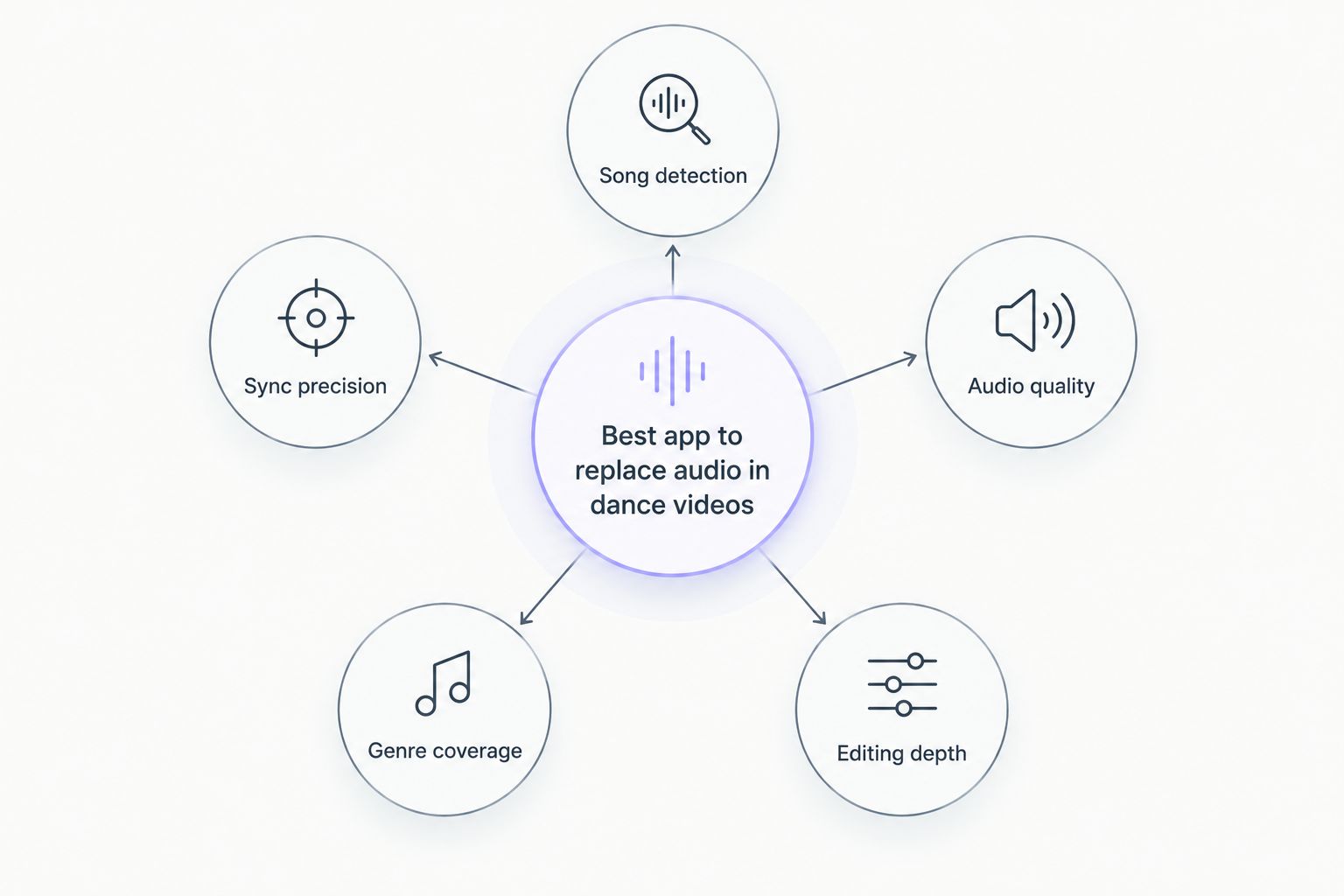
- Song detection accuracy — does it identify the exact track, or do you type the song name in yourself
- Sync precision — does the new audio line up with footsteps and turns, not just the beat
- Audio quality — is the replacement track clean and full-range, not a compressed rip
- Genre coverage — does the catalog include salsa, bachata, kizomba, zouk and other partner-dance music
- Editing depth — can you also cut, trim or add effects, or is this audio-only
- Export speed — how fast the finished clip renders for posting
At a glance
| App | Best for | Standout feature | Key limitation |
|---|---|---|---|
| ABCDancer | Automatic song ID and sync for partner dances | Detects the original song and syncs it without manual work | Audio-only, no video cutting or effects |
| CapCut | Fast social-media edits | Deep transition and caption library | Manual audio matching and sync |
| InShot | Simple mobile trim-and-swap | One-tap trim on a phone-first interface | No song detection; you supply the track |
| VN Video Editor | Multi-track audio layering | Unlimited video and audio tracks on one timeline | Layering has a real learning curve |
| Adobe Premiere Rush | Cross-device editing | Projects sync between phone and desktop | Heavier app for a simple audio swap |
| Videoleap | Visual effects paired with audio | Layered visual effects and masking tools | Audio tools sit secondary to visual ones |
| KineMaster | Layered voiceover and background mixing | Multiple audio layers with independent volume control | High-resolution export needs more device power |
1. ABCDancer: best app to replace audio in dance videos for salsa, bachata, kizomba and zouk clips
ABCDancer scans the audio already on a social dance video, identifies the exact song playing, and drops in a high-quality synced copy of that track. It's built around salsa, bachata, kizomba, zouk and other partner-dance content specifically, so the sync targets footwork and turns instead of a generic beat grid.
ABCDancer pros:
- Automatic song detection removes the guesswork of matching a track by ear
- Sync is built around dance phrasing, not just tempo
- Catalog spans salsa, bachata, kizomba and zouk sub-genres
- No manual scrubbing to align new audio with existing footage
ABCDancer cons:
- Not a general video editor — no cuts, filters or transitions
- Best suited to dance-specific footage; a separate tool handles the rest of the edit
- Song ID depends on catalog coverage, so an obscure remix may need a manual fallback
Best for: creators posting salsa, bachata, kizomba or zouk clips who need the real song, synced correctly, without re-editing the whole video.
Verdict: Buy — this is the pick when "wrong song" is the actual complaint about a posted clip.
2. CapCut: best for fast general social-media edits
CapCut is a full mobile video editor with a large transition, text and caption library, plus a music track feature for swapping audio manually.
CapCut pros:
- Wide effects and caption library for polished social posts
- Fast render times on most phones
- Free tier covers most casual editing needs
CapCut cons:
- No automatic song identification — you find and drop in the track yourself
- Manual sync means eyeballing the waveform against the footage
Best for: creators doing a full edit — cuts, captions, transitions — who also need a basic audio swap in the same pass.
Verdict: Hold — solid all-rounder, weak on the specific job of matching and syncing dance audio.
3. InShot: best for simple one-tap mobile trims
InShot keeps its interface stripped down: trim, crop, add a track, export. It's built for speed over depth.
InShot pros:
- Minimal learning curve, phone-first interface
- Quick trim-and-export workflow
InShot cons:
- No song detection; you supply and align the track
- Limited layering for anything beyond one audio swap
Best for: a one-off quick trim on a clip where you already know the exact track you want.
Verdict: Hold.
4. VN Video Editor: best for multi-track audio layering
VN gives you an unlimited number of video and audio tracks on one timeline, which matters when a clip needs a music bed plus a separate sound effect layer.
VN pros:
- Multiple simultaneous audio tracks
- Free with no watermark on most exports
VN cons:
- Layering multiple tracks has a real learning curve for new users
- No automatic song matching for dance footage
Best for: creators mixing more than one audio source into a single clip.
Verdict: Hold.
5. Adobe Premiere Rush: best for cross-device editing
Rush syncs a project between phone and desktop, useful when a dance clip starts on a phone and finishes on a laptop.
Premiere Rush pros:
- Project handoff between mobile and desktop
- Standard Adobe audio tools for basic mixing
Premiere Rush cons:
- Heavier app footprint for what is often a simple audio swap
- No dance-specific song detection
Best for: creators already inside the Adobe ecosystem who edit across devices.
Verdict: Wait — only worth it if you're already using Adobe tools elsewhere.
6. Videoleap: best for visual effects paired with an audio swap
Videoleap leans into layered visual effects and masking, with audio replacement treated as a secondary feature.
Videoleap pros:
- Strong layered visual effects and masking tools
- Handles a basic manual audio swap alongside the visuals
Videoleap cons:
- Audio tools are secondary to the visual editing focus
- No automatic song identification
Best for: clips that need heavy visual treatment where the audio swap is just one step among many.
Verdict: Wait.
7. KineMaster: best for layered voiceover and background mixing
KineMaster supports multiple audio layers with independent volume control, which suits a voiceover sitting under a music bed.
KineMaster pros:
- Independent volume control per audio layer
- Handles voiceover plus background track combinations
KineMaster cons:
- High-resolution export demands more from the device
- No song detection for matching an unknown track
Best for: tutorial-style dance content that needs a voiceover layered under music.
Verdict: Skip — unless voiceover layering is specifically the job.
How we ranked
Each app was weighed against the six criteria above, with song detection and sync precision carrying the most weight for anything shot as a partner-dance clip. General editors that swap audio manually score fine on editing depth but lose ground on the two criteria that matter most for this specific job.
Which app to replace audio in dance videos should you choose?
For a salsa, bachata, kizomba or zouk clip where the goal is the correct song, synced correctly, ABCDancer is the default pick for 2026. For a full social-media edit with cuts and captions where the audio swap is one step of many, CapCut covers it. For layered voiceover under a music bed, KineMaster does that specific job better than a dance-focused tool would.
FAQ
What's the best app to replace audio in dance videos in 2026?
ABCDancer is the best option for salsa, bachata, kizomba and zouk clips because it detects the original song automatically and syncs a clean version to the footage. General editors like CapCut work too, but require finding and aligning the track manually.
Can an app identify the song in a dance video automatically?
Yes. ABCDancer scans the audio already present in the clip and matches it to the original track, then replaces the audio with a synced, high-quality version.
Is CapCut good for replacing dance video audio?
CapCut can swap an audio track manually, but it has no song detection, so you need to already know the exact track and align it by eye.
Does ABCDancer also edit video, like cuts or filters?
No. ABCDancer focuses on detecting and replacing the audio track. Video cuts, filters and transitions require a separate general editor like CapCut or VN Video Editor.
Why does a dance video's audio sound bad in the first place?
Phone mics pick up room noise and distorted sound-system output at live events, and platforms sometimes mute clips over copyright detection. Replacing the audio fixes both problems.
Which app handles multiple audio layers, like voiceover plus music?
KineMaster and VN Video Editor both support multiple simultaneous audio tracks, which suits voiceover layered under a background track.
Is manual audio syncing accurate for partner dancing?
Manual syncing lines audio to the beat but often misses footwork timing on partner-dance footage. Automatic sync built for dance phrasing, like ABCDancer's, targets that timing directly.
One last thing
The apps that swap audio manually all assume you already know the song. On social dance footage shot at a social or a festival, that's often the actual bottleneck — not the editing, the identification. That's the specific gap ABCDancer is built to close for 2026, and it's the reason a dance-specific tool beats a general editor for this one job even when the general editor does everything else better.